So here is what I've come up with using the older Photoshop Elements 7.0, as well as, a handy little free program called CamStudio. I hope you like it!

Showing posts with label video editing. Show all posts
Showing posts with label video editing. Show all posts
Monday, December 30, 2013
How to Make Animated GIFs From Video
The other day, a viewer requested a tutorial on making animated GIFs from video, using Photoshop Elements. I've been wanting to do a video about this for a while, now seems like a pretty good time!
So here is what I've come up with using the older Photoshop Elements 7.0, as well as, a handy little free program called CamStudio. I hope you like it!
So here is what I've come up with using the older Photoshop Elements 7.0, as well as, a handy little free program called CamStudio. I hope you like it!

Friday, December 27, 2013
Create Animated GIFs With Fading Images Using GIMP! FREE!
The video above is my newest fading animated GIF tutorial, using one of the best pieces of free image editing software, GIMP!
Enjoy! (^.^)v
Wednesday, June 05, 2013
Here It Is--My Short Little A-Kon24 Vid!
Yes, what you see here is at least 2 times shorter than the original video I had put together. Most of the footage was simply too shaky. Not fun to watch at all. And no amount of stabilizing in the editor helped. I hope what's left is enough to get some idea of the big event in Dallas.
I mentioned before, we weren't supposed to be in Dallas that Saturday. As luck would have it, a friend of the family had a spare hotel room and offered it to us. We went, sans convention badges, planning only to roam the halls of the Hilton Anatole, which is the new venue for A-Kon. I think we were lost the whole time! Still, it was an adventure.
Enjoy!
(^.^)v
Tuesday, June 04, 2013
Miscellaneous Thoughts on Vid Editing and A-Kon 24
Okay, so I'm deep in vid-editing mode.
Just a little tip, to myself, and everyone who likes to shoot video. Tis much, much easier to record nice and smooth video with a tripod. Or, if you're walking around, a fancy piece of stabilizing equipment might do. It's much more difficult to stabilize that vid in editing software. Particularly, if you've got loads of it! I'll say a similar thing about photography. Much better to take the time to get a decent shot than it is to try and "fix" a pic later. Just sayin'. With the understanding that there are of course, on occasion, happy accidents.
This is not one such occasion.
Let me start from the beginning...
I wasn't supposed to be attending A-Kon 24 this year. There was no badge in my hands. But, a good friend of ours had an extra hotel room to offer us, and thought we might enjoy being in the atmosphere of the anime convention. Indeed! This offer could not be refused. The room was lovely, by the way.
With vid-cam in hand, we walked the grounds and filmed what we saw. No fancy equipment. Lots of video. Very bad video. Nauseating video in desperate need of stabilization. Gah!
At this moment, I'm switching back and forth between this blog and video editing software, selecting clips to fix as I go.
Another note to self:
If the software fails to render video 4 times, attempting to render a fifth time, I dunno, probably won't work!
There were phantom memory issues with Vegas Movie Studio HD Platinum 10.0. Others spoke of this problem, one that seems to be hit and miss. Sometimes you get the error, sometimes you don't. It seems there is no real resolution for it, other than to upgrade to a newer version Movie Studio. Which I did (Shhh!...some of us don't know about this little expenditure). I'm operating Movie Studio Platinum 12 now. So far, so good!
If all goes well, I may soon have an A-Kon vid to post! Though a shorter version of the original. If only I'd had my DSLR camera with me, I might have some such item of quality to post. Egad. Another notable thing.
More on this later...
Just a little tip, to myself, and everyone who likes to shoot video. Tis much, much easier to record nice and smooth video with a tripod. Or, if you're walking around, a fancy piece of stabilizing equipment might do. It's much more difficult to stabilize that vid in editing software. Particularly, if you've got loads of it! I'll say a similar thing about photography. Much better to take the time to get a decent shot than it is to try and "fix" a pic later. Just sayin'. With the understanding that there are of course, on occasion, happy accidents.
This is not one such occasion.
Let me start from the beginning...
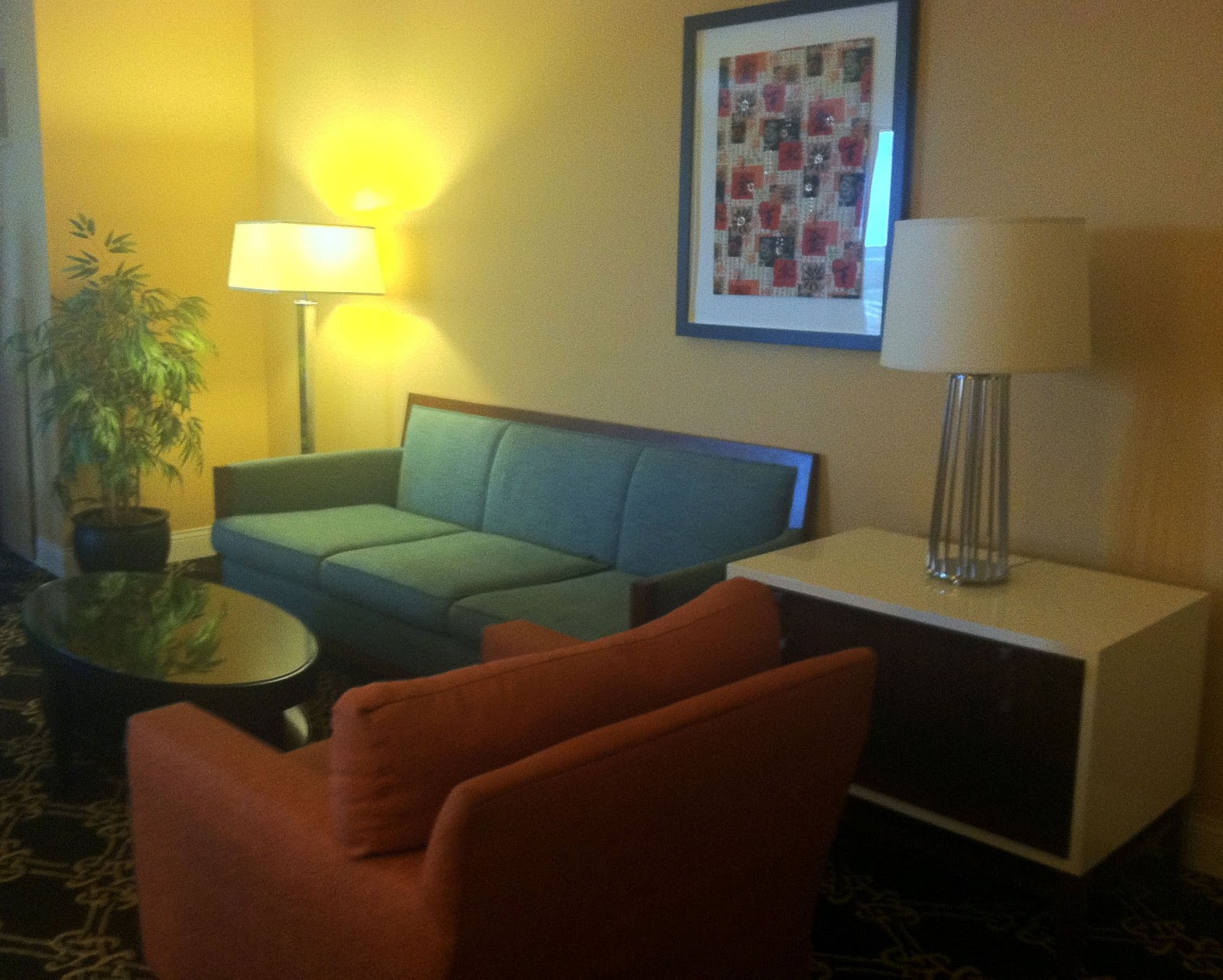
I wasn't supposed to be attending A-Kon 24 this year. There was no badge in my hands. But, a good friend of ours had an extra hotel room to offer us, and thought we might enjoy being in the atmosphere of the anime convention. Indeed! This offer could not be refused. The room was lovely, by the way.
 |
| Hilton Anatole Dallas, Texas |
 |
| Hilton Anatole Dallas, Texas |
With vid-cam in hand, we walked the grounds and filmed what we saw. No fancy equipment. Lots of video. Very bad video. Nauseating video in desperate need of stabilization. Gah!
At this moment, I'm switching back and forth between this blog and video editing software, selecting clips to fix as I go.
Another note to self:
If the software fails to render video 4 times, attempting to render a fifth time, I dunno, probably won't work!
 |
| Vegas Movie Studio 10.0 Error Screen |
If all goes well, I may soon have an A-Kon vid to post! Though a shorter version of the original. If only I'd had my DSLR camera with me, I might have some such item of quality to post. Egad. Another notable thing.
More on this later...
Thursday, January 03, 2013
How to Use Chroma Key in Vegas Movie Studio
The tutorial shows how to use the chroma keyer plugin found in Vegas Movie Studio HD Platinum 10.0. At least, the way I use it. Ha!
I don't have a chroma green backdrop, so I decided to create a simple animation and give it a green background. Sort of a green screen simulation.

Here's the link to a 3-part series I did explaining switch layers, and whatnot, in Anime Studio Pro 6:
Switch Layer Tutorial
Okay, moving on to chroma keying.
Here's what it looks like after chroma keying.

My face in the sky was cut out with the Cookie Cutter plugin. I changed the border of it to blue and chroma keyed that, too. I was told the result was creepy ... not nearly as creepy as the junk that would have shown up in the background. Haha! Oh, the possibilities!

One thing to note, when applying any type of effect to media in Vegas, one needs to understand which option to choose between Media FX and Video Event FX. My understanding is that selecting Media FX applies the chosen effect to the clip in every instance in which it appears, including in the Project Media bin. If Video Event FX is chosen, only in that instance is the desired effect applied. So, using Media FX helps to save time if the media will be used repeatedly throughout the entire work.
I tried to keep the tutorial as simple as possible. But, of course, there are a few slightly more complex elements I threw in toward the end. I briefly brush over how to animate the moon, but didn't go into detail. I may need to make another tutorial!
Until next time~~
Subscribe to:
Posts (Atom)