Showing posts with label software. Show all posts

Friday, December 27, 2013

Create Animated GIFs With Fading Images Using GIMP! FREE!

Recently, a viewer wondered how to use Gimp (a free image editing software) to create animated GIFs with fading images.  In a previous tutorial, I had shown how to create one using Photoshop Elements 7.0.  The steps involved are somewhat similar, no matter which software is used.

The video above is my newest fading animated GIF tutorial, using one of the best pieces of free image editing software, GIMP!

Enjoy! (^.^)v  

Friday, July 05, 2013

How to Make Animated GIFs Using GIMP (FREE!)


In the comments on a previous tutorial, someone recently asked where to get Photoshop Elements 7.0 software to make animated GIFs.  While Photoshop Elements 7.0 is likely still available for purchase, I realize some may not want to purchase it just to make animated GIFs.

When I first became interested in making animated graphics for websites many years ago, I found GIMP.  It's very similar to Photoshop (in some ways, better!) but it's FREE!  Well, I guess that counts as one of the ways it's better!  haha!  So, I put together this tutorial in case others may want an alternative to costly software.

Until next time~~ (^.^)v  

Tuesday, June 04, 2013

Miscellaneous Thoughts on Vid Editing and A-Kon 24

Okay, so I'm deep in vid-editing mode.

Just a little tip, to myself, and everyone who likes to shoot video.  Tis much, much easier to record nice and smooth video with a tripod.  Or, if you're walking around, a fancy piece of stabilizing equipment might do.  It's much more difficult to stabilize that vid in editing software.  Particularly, if you've got loads of it!  I'll say a similar thing about photography.  Much better to take the time to get a decent shot than it is to try and "fix" a pic later.  Just sayin'.  With the understanding that there are of course, on occasion, happy accidents.

This is not one such occasion.

Let me start from the beginning...

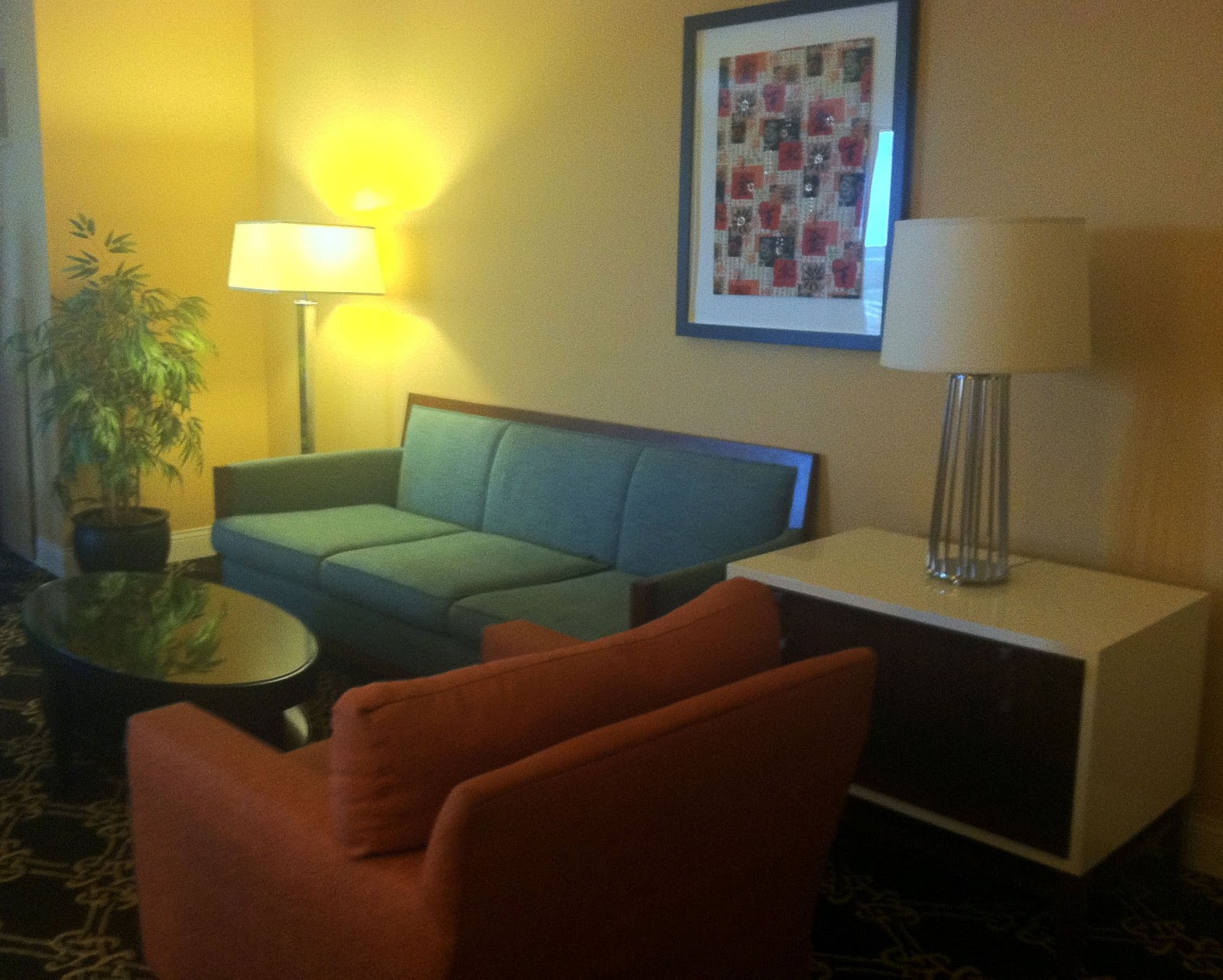
I wasn't supposed to be attending A-Kon 24 this year.  There was no badge in my hands.  But, a good friend of ours had an extra hotel room to offer us, and thought we might enjoy being in the atmosphere of the anime convention.  Indeed!  This offer could not be refused.  The room was lovely, by the way.
Hilton Anatole Dallas, Texas

Hilton Anatole Dallas, Texas


With vid-cam in hand, we walked the grounds and filmed what we saw.  No fancy equipment.  Lots of video.  Very bad video.  Nauseating video in desperate need of stabilization.  Gah!

At this moment, I'm switching back and forth between this blog and video editing software, selecting clips to fix as I go.

Another note to self:
If the software fails to render video 4 times, attempting to render a fifth time, I dunno, probably won't work!
Vegas Movie Studio 10.0 Error Screen
There were phantom memory issues with Vegas Movie Studio HD Platinum 10.0.  Others spoke of this problem, one that seems to be hit and miss.  Sometimes you get the error, sometimes you don't.  It seems there is no real resolution for it, other than to upgrade to a newer version Movie Studio.  Which I did (Shhh!...some of us don't know about this little expenditure).  I'm operating Movie Studio Platinum 12 now.  So far, so good!

If all goes well, I may soon have an A-Kon vid to post!  Though a shorter version of the original.  If only I'd had my DSLR camera with me, I might have some such item of quality to post.  Egad.  Another notable thing.

More on this later...    


Friday, July 13, 2012

How to Clean Up Background Audio Using the Free Audacity Editor

I thought I'd do a quick tutorial about audio editing.  Particularly, since I do quite a few voice-overs lately and need the audio to sound clean and nice.

I've used a few audio editors.  Some were supposed to be good stuff!  But, Audacity, impresses me with all the features it has.  And, it's free!

Awesome!

When I first came across the noise removal feature in Audacity, I thought it was magical.  I have been able to filter out all sorts of miscellaneous, extraneous and downright distracting background noise from my voice-over recordings.  I know there is other software that does this, but... did I mention Audacity is free?

Here's the link, if you want to get Audacity for yourself and see what I'm talking about.
http://audacity.sourceforge.net/

Oh!  And here's my wee little tutorial.  There's loads more I could tell you about the software, though I'll leave it at this for now.

By the way, choose the HD option and turn up the sound to better hear the noise removal tool's skills. Which probably means it's best viewed on YouTube and not here. Ah well.

Enjoy!

Monday, June 18, 2012

How to Make an Animated GIF (With Text That Isn't!)

Please choose the "full screen" viewing option to better see the vid.


This tutorial is in the can, as it were.  Gone to press, done, fini...  And so on.  It was a fun one!

Yes, the time on it is correct.  I was working in the wee hours of the morning to get it ready for posting.  It was a request by a viewer, so I wanted to get it done as soon as possible.

O' course, technology always tosses a wee wrench in the machine.  I'm learning to frequently save my work in prep for software crashes.  Of which, I only had a couple!

Now, before anyone says anything (not that I expect anyone to, but just in case), I do realize there are likely even better and more "pro" ways to get the GIF-making job done.  Me, I improvise and figure out what makes sense to me, that I can somehow relay to others.  I hope it makes sense to everyone else, too!

It's funny...  I never thought I'd be making animated GIFs again.  It seems though, Tumblr has made them popular again.  And maybe other sites, as well.  For me, it was MySpace, back in its heyday.

Making an animated GIF back then, the MySpace days, was pretty exciting.  A person who did this didn't have to rely on those sites where you have to copy code and paste it to get the image.  It's nice being able to create your own stuff.  And now, with today's software, it's so much simpler!

The first time I tried Photoshop Elements 7.0, I was discouraged.  I wasn't sure it even made animations.  But, it does.  And it's pretty awesome.

Now, on to the next project.

I've got some new software coming.  An update to Serif's WebPlus X4 I've been using.  I had skipped the X5 version, since there wasn't much that I needed in it, and I'd heard it was a bit buggy.

Now, WebPlus X6 is out!  I'm looking forward to the new features.  One being the ability to create a website for mobile phone viewing as well as the full-sized site.  This should be fun!

In the days to come, there'll no doubt be mention of the new software as I test out its stuff.

More later~~
Enjoy~~~  


Thursday, February 09, 2012

Oranges at Play


So, I was sitting at the table looking at the oranges that no one will eat. I guess they are just too cute.

There was little left to do, but document a moment of their day.

I used the Canon Vixia to take some still shots of the little guys at play. Then, found some music, "Silly Fun", Kevin MacLeod, incompetech.com. Rounding it out with a few sound effects, www.flasherdot.org, www.soundjay.com and me using Linux Multimedia Studio (LMMS)to create the "force" sound effect. All edited with Sony Vegas Movie Studio HD Platinum 10.0. At last, I've figured out how to make a wobbling "force" beam using Vegas. For me, this is a major accomplishment. Maybe I'll do a tutorial on it.

It would seem, I've got too much time on my hands. Perhaps, though it's possible this little exercise in stop motion animation might come in handy one day. In the meantime, I'll just keep honing my skills. It doesn't hurt that it's loads of fun!

Tuesday, February 07, 2012

A Leisurely Drive and Laptop Things


It's not like I really need an excuse to use the new software I've come across. I say it's new, though only because it's new to me. The software just happened to come with the new laptop I was forced to get. The old one, how I loved it so, was full to the brim of miscellaneous software, pics, vids and goodness knows how much music was stashed away in those little compartments, folders, files. The thought of walls full of dusty old filing cabinets stuffed with yellowing pages, half of them in the folder, the other half spilling out, some on the floor, or simply filed in an unknown place (file 13), just crept into my head. That's what's inside that old laptop.

I wonder if most people get their money's worth out of their laptops. I know I have. And it will still be visited from time to time. The time, when I find time, to "clean house" as it were. At the moment, it has been relegated to portable DVD player for the kiddos and the machine they can use to visit the Starfall website.
"Sports Car" Laptop


I worry the new machine will meet a similar fate. I really should learn to edit and store only the good stuff on an external drive. I'm a hoarder, of sorts. Though the contents of my house may be sparse, one need only take a look at me ol' laptop to know the truth! It won't be long before the keys on this new sports car computing device will be polished smooth and shiny, the "f" and "j" home-key bumps worn flush.

And so, in a very roundabout way, I've come to this. The editing software that I made the vid with, Sony Vegas Movie Studio HD Platinum 10.

Now, I've heard of the Vegas Movie Studio stuff for years. I envied those who had it, simply because it could do that chromakey thing. You know, so you can make your background transparent then put some other background in, pretend you were in beautiful France or on the beach somewhere. Silly, I realize. There are more important things going on in the world, to be sure. Yet it had always fascinated me. Funnily enough, I found the software I was using at the time, Cyberlink PowerDirector had the same feature. I'd just not uncovered it yet. Or, maybe it didn't always have that feature? I've upgraded the software a few times, so who knows. Even so, I just knew Vegas was somehow better.

Here's what I know, PowerDirector is extremely easy to use. It has a nice package and can do a pretty fair job of editing and producing some decent stuff. Rendering is super fast. Did I say "super"? (O.o)

Vegas, on the other hand, well, let's just say when I first tried it out, I thought I'd never learn how to use it. Maybe I was expecting it to be similar to the other stuff. It's not. It has me intrigued, because it's a bit of a challenge. It's something new. Although, not very pretty or slick. It seems, there's loads of stuff that can be done with it. For starters, in the version I have, which is not "pro" unfortunately, you can put up to 10 video tracks! What? Seriously. Methinks that's pretty cool, because how else are you gonna chromakey a bunch of stuff without all those layers? Not to mention, you can also put, I believe, 10 tracks of audio. What? I know! Pretty neat! And then, there's the control factor. You have much more control over each maneuver through adding, subtracting keyframes which adds motion or creates some other change. Okay, to be fair, PowerDirector has a little bit of that, too. But, only a little. It's how I managed to create the kaleidoscope effect in my previous posts, Kaleidoscope Experiment II and Kaleidoscope Experiment III. Which, one may notice, part III turned out a bit better, simply because I finally learned how to fine tune and manipulate the keyframes.

So, I guess after comparing the two pieces of software, PowerDirector and Vegas, I'd say if a person were looking for ease of use, go with PowerDirector, it's awesome! However, if one wanted more control and the ability to put in all those extra tracks, definitely go with Vegas. I have to admit, I've crashed them both several times whilst testing out their features. You sort of learn to save your work frequently, just in case. Still, I managed to put several layers of video and music into that vid up there, get it rendered and uploaded to YouTube. I think it crashed so much because the vid of the drive was a huge file, HD no less. And I squished it together on the timeline to speed it up. It wasn't happy about it. Not happy at all. I also threw in a little animation I made on Anime Studio Pro 6. I really want Vegas Pro. Just sayin'.

I'd better get this posted, so I can see what other trouble (software) I can get myself into.

Sunday, January 29, 2012

Test Drive: Vegas Movie Studio HD Platinum 10.0

Yep, I've got some new software to test.

This one is Sony Vegas Movie Studio HD Platinum 10.0 . That was a mouthful!

Okay, I'm just learning how to use this software. It isn't quite as simple as my old movie editing stuff, Cyberlink PowerDirector. I still like the PowerDirector, by the way. It's fast. Really, fast! But, for certain, Vegas Movie Studio gives one a wee bit more control over some things. Or maybe, I should say, lots more control.

I scrapped together some pieces of video, then put some music I'd made on the LMMS software with it. It was a quick hack job, to be sure. Though, it was enough to get my feet wet with the program.

Problems I ran into, other than not knowing what in the world I was doing, were fairly minimal. A couple times, during rendering, some memory warnings popped up. These were false warnings, as my system is brand new and has more than enough RAM memory. I'd read about a fix for this issue, as it appears to be a somewhat common software issue. I attempted the fix, but ended up with a non-functioning program. After undoing the mess, and restarting the computer, I managed to render the vid and upload it straight to YouTube.

Here's the result of my efforts:


When I have more time, I'm sure my next vid will be stellar. Ha! I laugh, because I know a bit of spare time is elusive. Even so, I'll do my best to make a more entertaining creation!

Sunday, January 22, 2012

Almost There


So, today, I'd meant to put together that quick tutorial I'd mentioned in the last post.

It's almost there. When I say "almost there", I'm using my best impression of the pilot in that Star Wars scene. You know the one, when the Death Star is soon to meet its demise. And, yes, I'm staying on target.

I've got the vid together, but it needs a voice. Methinks it will be pretty dull with no sound, and what with all the reading that would have to be done. I'll get to it. And soon.

Creating a voice-over is no small thing around here. The noise is a bit difficult to get around. Still, it can be done with a touch of ingenuity, if the noise isn't too terribly loud. The free software application, Audacity, can actually handle it pretty well. There's a Remove Noise feature that does a fairly decent job. I've used it on nearly all the vids I've recently posted, though with the slightest bit of distortion. Still, you'd never know the little guy was playing Star Wars Lego on the PS3 in the background!

But, today was a little different. There's been goings on that could not be edited out. It's Chinese New Year!

Maybe tomorrow I'll get some work done. Soon, there's to be an equipment change I'm very much looking forward to, though not likely tomorrow. There may be some talk of it later.

In the meantime...
Gong Xi Fa Cai! \(^.^)/

Saturday, January 21, 2012

Bones Layer Test- Anime Studio Pro 6

Recently, I revisited some old software that had been languishing on my laptop, Anime Studio Pro 6.

Now, I love this software, it's by far one of my favorite software purchases. But, I just haven't had much time to experiment with it. Still, every now and again, I revisit it and sort of re-learn it. Haha! I have to, since I can't retain the knowledge, for some reason. (O.o)

My latest lesson to myself has been using the bone layer function. With the bone layer, you can place a "skeleton" of sorts over an image you've drawn. Then by binding certain points in the drawing to the bones, you can animate the thing.

Pretty cool, huh?

I couldn't wait to give it a go, so I hurriedly scratched together a pic or two, admittedly they are out-of-proportion humanoids, but still. Then, I created a bone layer and drag a pic into it. I put some bones in there, and bound them up to parts of the picture using the "bind points" feature.

Here's the result of my quick work:


I particularly liked the light dancer in this one. I think I'll do a little more with that idea a bit later. The music was fun, too. The music, by Kevin MacLeod of incompetech.com, is called, "Cut and Run". He's got loads of nice stuff.

This little lesson seems ripe for a tutorial, so I'd better get busy making one.
(^.^)d


Tuesday, January 17, 2012

Switch Layer Tutorial Part 3!

At last!

After much crashing of my ancient, fossil of a laptop (I'm petting it lovingly as I write this), and much gnashing o' what's left of my teeth, I've finished the final installment of the Switch Layer Tutorial Series. Yes, that should be bold font, as though it were being said in a grand way, though not loud and obnoxious, I hope.


Honestly, it was fun to do, though I'd rather have a bit more time for it. That, and maybe a touch more disk space. (O.o) A new laptop is in order. Though I've no idea what I really need. This will be in my thoughts for a while.

Now, on to other projects I suppose. I'm certain I've some sort of attention disorder. Of course, that topic is nothing new. Too bad I'm not focused on one subject long enough to make a living out of it! Ha!

Monday, January 16, 2012

Switch Layer Tutorial Part 2

As suspected, it took me all night, and, yep, there will be a part 3.


Should these vids prove un-useful to others, I know I'll get good use of them. Too many times have I learned how to do something with a piece of software, only to forget it all later!

It's just that I don't have loads of time to use the computer consistently. There's that, and the fact that my computer is completely full! Believe it or not, I've managed to use up nearly every byte. This despite putting lots of stuff on an external hard drive.

I'm really pushing for a new laptop. We'll see where that goes! Ha!

Now, onward to Part 3. But first, laundry~~~

Sunday, January 15, 2012

Switch Layer Tutorial Part 1

Well, it took me all night, but it's done. Just part one, though. It'll likely take me another night to complete Part 2. I'm not sure, but there may even be a third one!

This video is probably best viewed full screen, since there are wee details that are hard to see on that tiny box.

Disclaimer: Nope. I'm not a pro animator, so don't go expecting any great shakes.

Just enjoy the vid and maybe get a touch interested in animating for kicks, like I do. :o) I also enjoy doing the voice overs. Puts my Blue Yeti to good use.

Now, what's going to be in Part 2? I think I'll try to keep it short, for one thing. I will create several layers of the mouth image, naming each layer for the sound the mouth shape will look like. Then, alter the images to fit the sound. After all that, the layers will be put into a switch layer. Yep, looks like a trilogy in the making. At least. (O.o)

G'nite!

Friday, January 13, 2012

Animation Dreams

The other day, I decided to dust off some old software I haven't used in quite some time. The software, Anime Studio Pro 6.

I don't know what made me do it. There's not much time to be had, what with living and all that. But, learning to create animation has been sort of a dream of mine.

It started years ago, when I first learned to do an animated GIF on an old piece of software. The name of it escapes me, though it was part of an earlier version Photoshop. ImageReady, or some such item. Nevertheless, Out there on the web somewhere, there are likely several of my early GIFs floating around. They aren't very good. Still, the experience was enjoyable.

Shortly after the episode of GIF love, came the earlier versions of DrawPlus. Now you're talkin'! Finally, real animation could be created and saved as movies. I still use DrawPlus from time to time. I can create some nifty SWF movies. The other day, just for fun, I created a small machine of some sort. If you like, you can look at it HERE. It's a wee little thing, complete with sound effects and a couple of buttons. On the webpage, you'll notice my scrawlings alongside the "machine". Yeah, I have way too much time on my hands.

So, the project was a bit time-consuming. I had to re-learn how to start and stop the sound effects, as well as, the animation of the different elements. Still working on that. I'm a tinkerer, to be sure, thus the whole process took far longer than it should have. Hopefully, I'll retain what I've learned and won't need to learn it all over again the next time! Pretty much the whole project grew from my curiosity about layering SWF files within and under an image.

My latest project took much less time than "Machine". However, I'm certain it could be improved. I'm not very good at this animation stuff. Though I guess it's okay since anything I know about it is self-taught and, well, it's not my day job. Haha!

The slightly technical part of it:
I used Anime Studio Pro 6 to create the animation. The mouth, eyes and eyebrows were animated using switch layers. A switch layer is a layer containing different interpretations of say, a mouth. The software can synchronize those images to music or other audio, such as speech, automatically. Basically, what needs to be done is, the mouth needs to be drawn in its various positions; opened, closed, wide open, etc. Those images are placed into a switch layer. The software sorts it out to a degree, matching it to the audio. Although, a bit of tweaking must be done. I really want to do a tutorial on this. I've seen other tutorials about it, which are pretty good, but seem show it a bit more complicated than it really is.

Anyway, the following video is the result of my latest "animation dream". The audio is me, reading a blog post. The music is "How It Begins" by Kevin MacLeod from incompetech.com. This short vid is a bit wild with the particle animated background, I realize. I had no idea it would turn out that way, since the particles were created using a script. The final four hour rendering of the movie differed slightly from what I saw whilst editing. Yep, four hours! That's why it is left as is. ;o)


***UPDATE***
I just found the "reduce particles" option for better rendering of the above video. Yippee! Here's the improved version.


Just for reference, the video below is an earlier attempt at animation using audio sync and switch layers.


There'll be more of this in the future.


Tuesday, February 22, 2011

amateur LMMS

Turn background music off here, then come back up.


I need practice. Still, that was fun!

This music was made using Linux MultiMedia Studio.
Audacity was also used a bit to normalize the sound. Images are not made using these programs.


Tuesday, February 15, 2011

LMMS fun

Turn off background music here, then come back up.


Recently, I stumbled across Linux MultiMedia Studio. Pretty cool, this. And it's free!
Click image to embiggen screenshot of LMMS.

Since I've only just started to fiddle with the program, my work is somewhat lacking. Nevertheless, making digital music with LMMS is fairly simple. Though the program is a bit buggy at times. As always with editing programs of any kind, particularly those prone to bugginess, save the work. A lot!

Still, LMMS is pretty good about recovering the project in case a crash does occur. It wasn't as annoying as some editing software that I've actually paid the big bucks for. Probably because one wouldn't expect a costly program to crash in the first place. But mostly, LMMS doesn't crash often enough to be irritating. Also, the little bugs are pretty easy to overlook considering what you can still accomplish with the program.

Here's a wee sample of something I put together extremely quickly using only a few instruments.

I know, it isn't all that good, but one gets the idea.

If interested in this piece of software, one can download it from the open source website, SourceForge here. If you like it, you might consider supporting their project with a donation.

Enjoy!